
Bring your brand into your OpenAI product ads. Design an image template in CustomPix, apply it to your Shopify products, and connect the resulting catalog to OpenAI Ads Manager with a CSV feed URL.
Use your own logo, backgrounds, product photos, and dynamic price or discount elements to give your catalog a consistent look. Each product gets its own image using the same design, while your Shopify storefront images stay as they are.
Design once, apply across your catalog
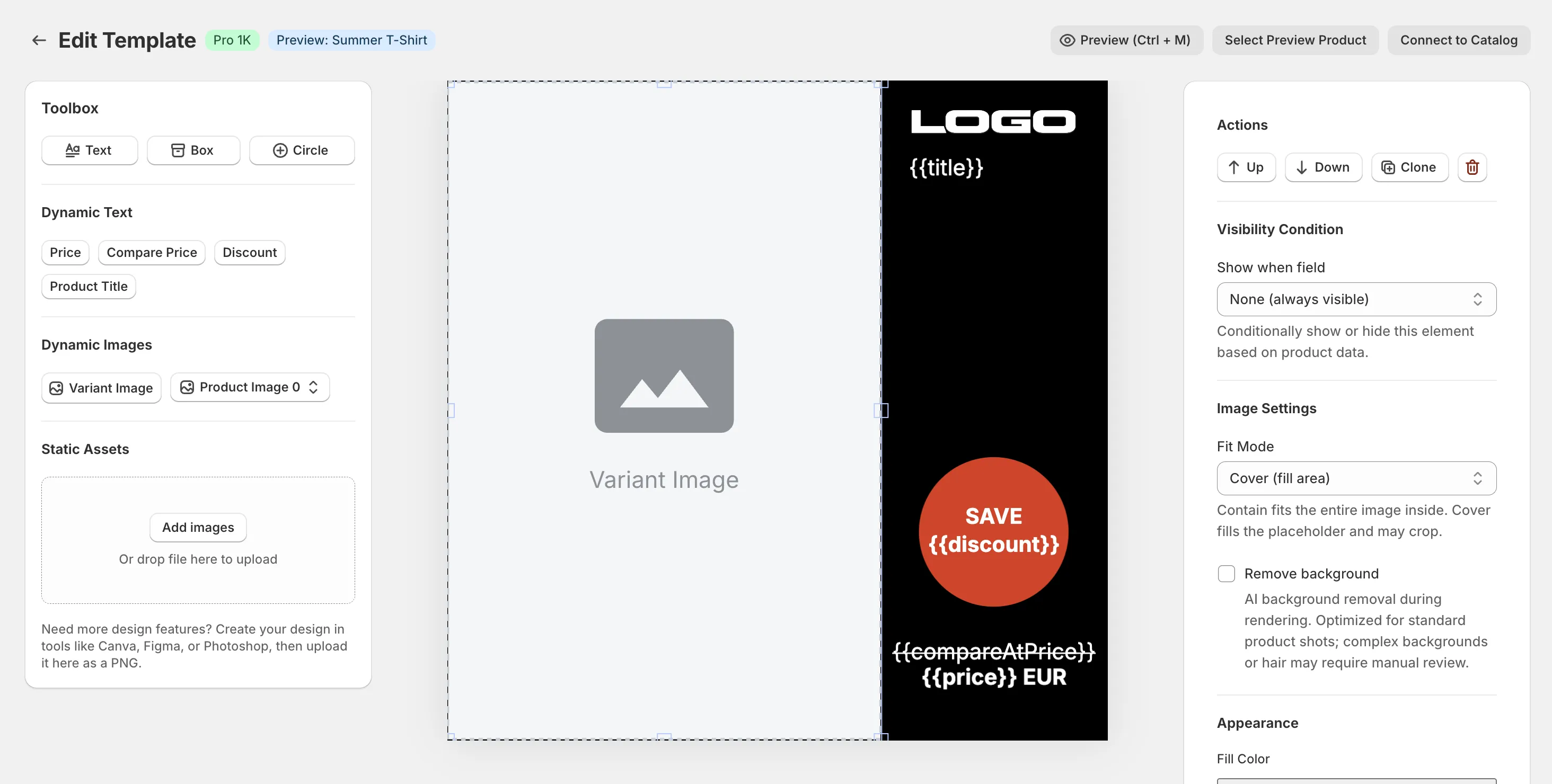
The CustomPix template editor combines a reusable layout with each product's data. Choose the image for each variant, place it in your design, and add the elements that help shoppers understand the product.
- Brand elements: add your logo, colors, backgrounds, and uploaded graphics.
- Dynamic text: include product names, prices, discounts, or Shopify metafields.
- Product presentation: select variant photos and remove backgrounds.
- Template rules: assign designs by collection, with individual variant overrides.
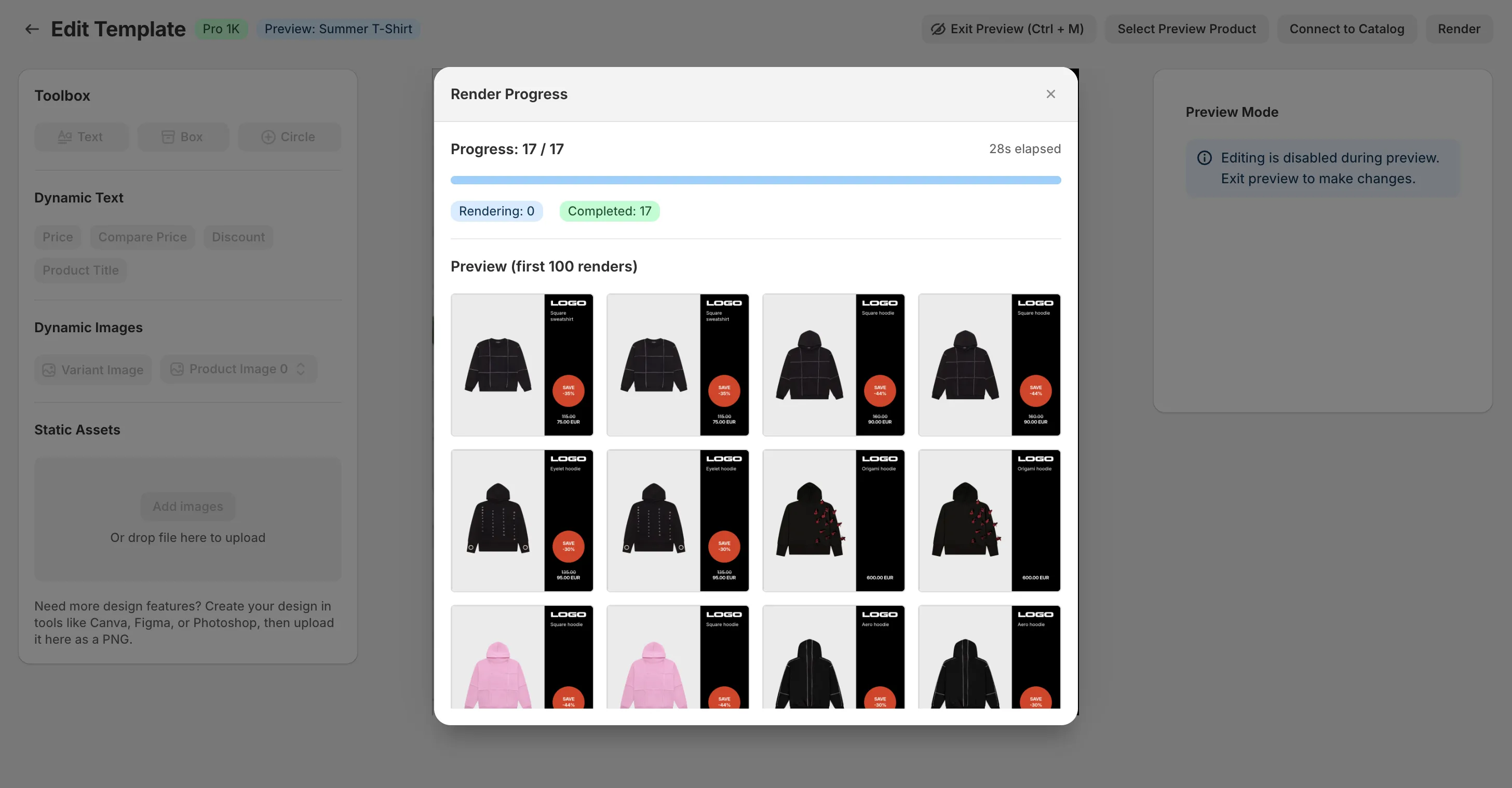
Turn your template into product images
CustomPix renders a separate image for each product variant and includes its image URL in the OpenAI CSV feed alongside the product's title, description, price, and availability. You can reuse the catalog designs you already manage in CustomPix.
OpenAI's product-feed campaign setup includes an ad template where you select an image field. Your CustomPix design is part of the product image supplied through that field; OpenAI controls the surrounding ad layout. See the official OpenAI product feed guide for the campaign setup flow.
Connect your catalog to OpenAI Ads Manager
- Prepare your images. Open a CustomPix catalog, choose product images, and assign your image template.
- Generate the OpenAI feed. Choose Copy Feed URL → OpenAI Ads. Generate the feed, fix any missing or invalid product fields, and copy its CSV URL.
- Add the hosted URL. In OpenAI Ads Manager, go to Tools → Feeds → Create Feed, then import products using Hosted URL.
- Check the import. Review Upload History, create a Product feed campaign, and select your feed and products in the ad group.
- Preview before launch. Select the product image field in the ad template and check the image, title, price, and landing page before submitting your campaign.
OpenAI documents these steps in its product feed setup guide. Keep the product prominent in your image design and check that any text remains readable in the ad preview.
Keep images and product data current
The OpenAI CSV uses a stable URL. CustomPix updates it during scheduled or manual catalog refreshes, and updates the image links again when new template renders finish. You can refresh the feed from the OpenAI setup dialog after changing a design.
Configure regular imports in Ads Manager so OpenAI picks up those changes. OpenAI says feed products expire after two weeks without an import, so ongoing updates matter for both stock accuracy and availability. Read OpenAI's import guidance.
Frequently Asked Questions
Can I reuse my existing CustomPix templates for OpenAI Ads?
Yes. Your OpenAI feed uses the images and templates assigned to that CustomPix catalog, including collection rules and individual product or variant overrides. Preview the resulting images in Ads Manager before launching.
Which feed URL should I use in OpenAI Ads Manager?
In your CustomPix catalog, choose Copy Feed URL → OpenAI Ads. Generate the feed, review any validation issues, and copy the dedicated CSV URL. The Meta and Reddit options provide an XML feed.
What happens when a product price or image changes?
CustomPix updates the CSV during catalog feed refreshes and publishes new image URLs when template rendering finishes. Keep regular imports enabled in Ads Manager so it picks up the refreshed product data and images.
Does CustomPix create and launch my OpenAI campaigns?
CustomPix prepares your catalog images and product feed. You choose products, configure the campaign, review the ad preview, and submit the campaign in OpenAI Ads Manager.
Explore image selection, template rules, and the other catalog tools in the full CustomPix feature breakdown.