
Everything CustomPix Does for Your Meta Catalog
CustomPix gives you full control over how your products look in Facebook and Instagram catalog ads, without ever touching your Shopify storefront. Here’s everything it does, in detail.
Image Selection
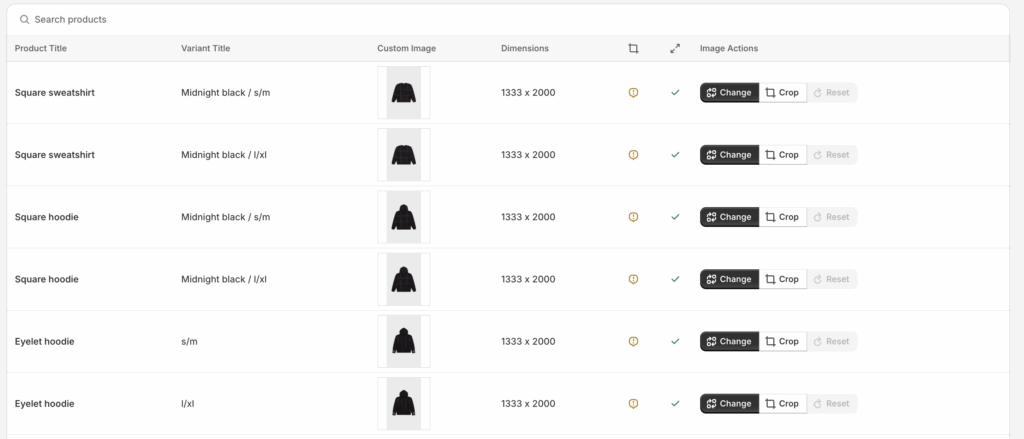
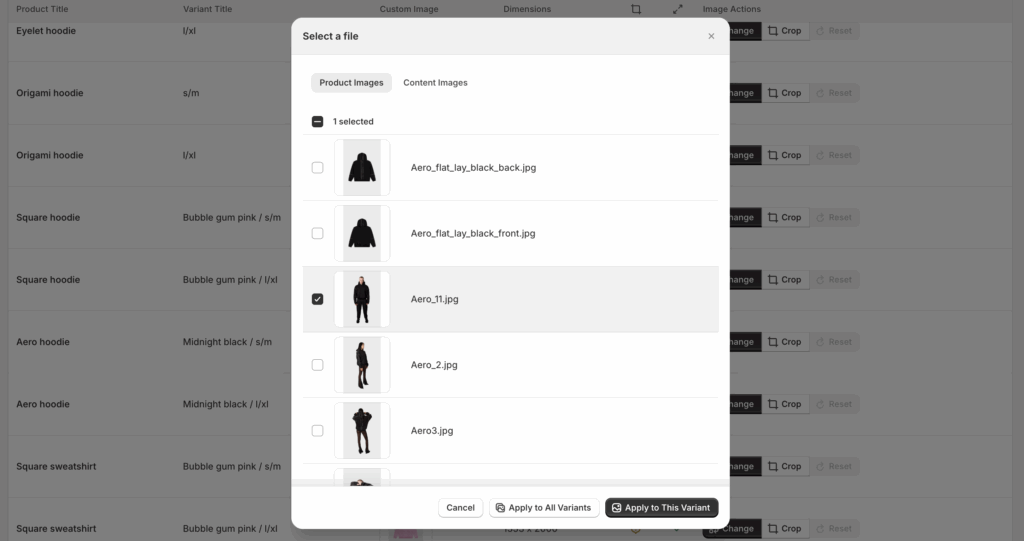
The default Facebook & Instagram sales channel usually pulls whichever image happens to be first on a product or variant. CustomPix lets you choose any image instead, for every product and every variant individually.
- Pick lifestyle shots, ad-specific creatives, or a different image per variant
- No need to reorder or change images in your Shopify product admin to affect what shows in ads
- Manage additional images too: choose and reorder the extra images Meta shows alongside the main one
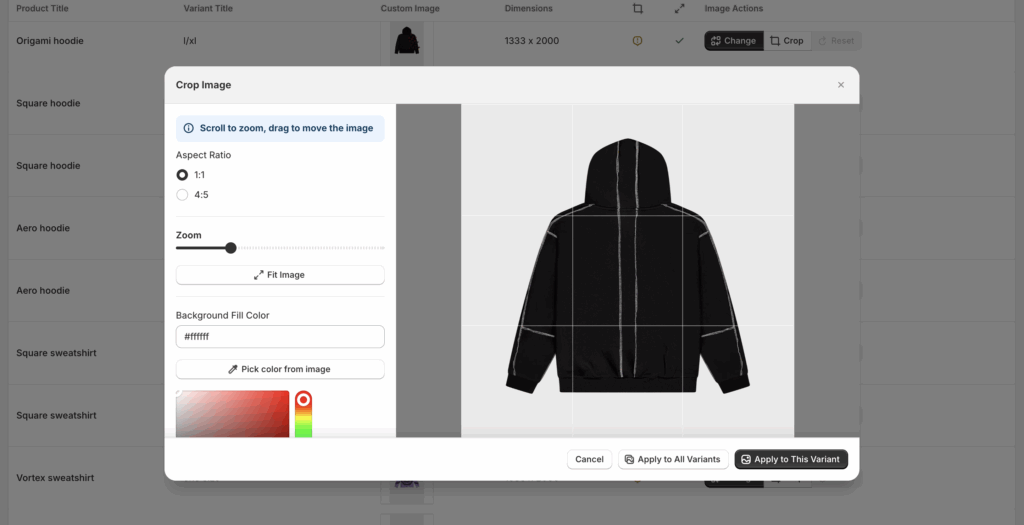
Cropping to Meta’s Recommended Formats
Crop your selected images to the aspect ratios Meta recommends for catalog placements, so your ads display cleanly across feed, Stories, and other Dynamic Product Ad placements instead of being awkwardly cut off or letterboxed.
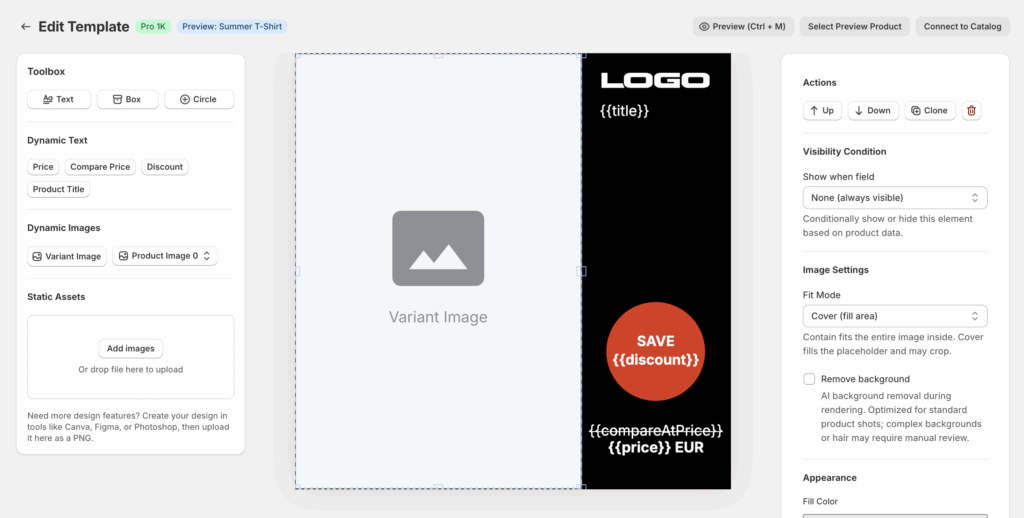
Drag-and-Drop Dynamic Template Editor
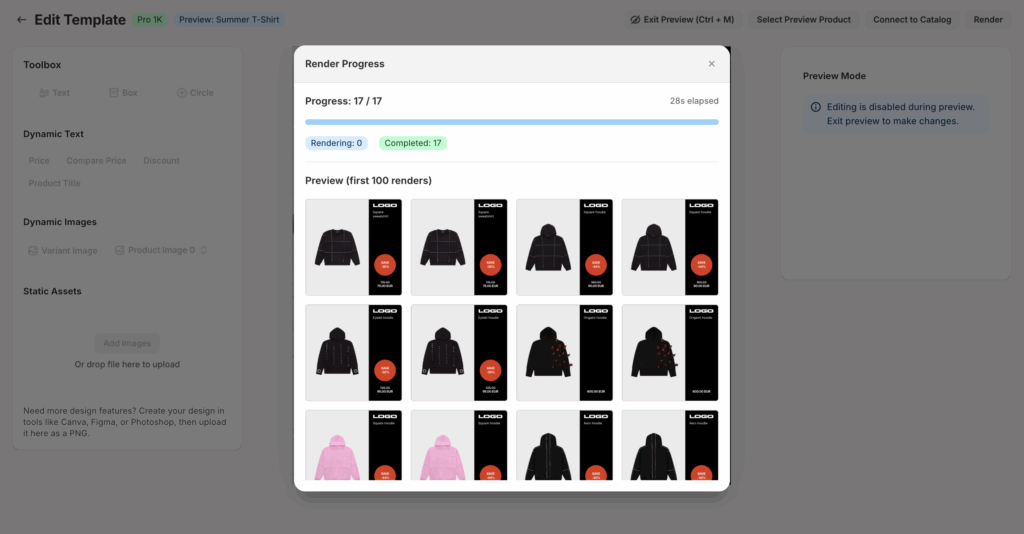
Design your own ad layout directly on top of your product images with a drag-and-drop editor, no external design tool required. Templates update automatically as your product data changes, so ads stay current without manual re-exporting.
- Live price and discounts, pulled directly from your product data
- Badges, your logo, or any custom image or overlay you upload
- Color swatches for products with color variants
- Placeholders for Shopify-native data, including custom metafields: pull any metafield you already maintain (material, delivery time, ratings, …) straight into your design
- Automatic background removal, with manual override if needed
- Conditional show/hide rules for any element, based on discount percentage, stock level, tags, or collections (e.g. show a “Sale” badge only when the discount is higher than 10%)
Build a template once, and it applies across your entire catalog from then on. There’s no need to design separate versions for different products or scenarios; the rules and live data take care of that for you. And you decide exactly where each template applies: assign templates per collection, or override them individually for single products and variants. For a hands-on walkthrough, see how to add price & discount badges to catalog ads.
Custom Labels from Collections and Metafields
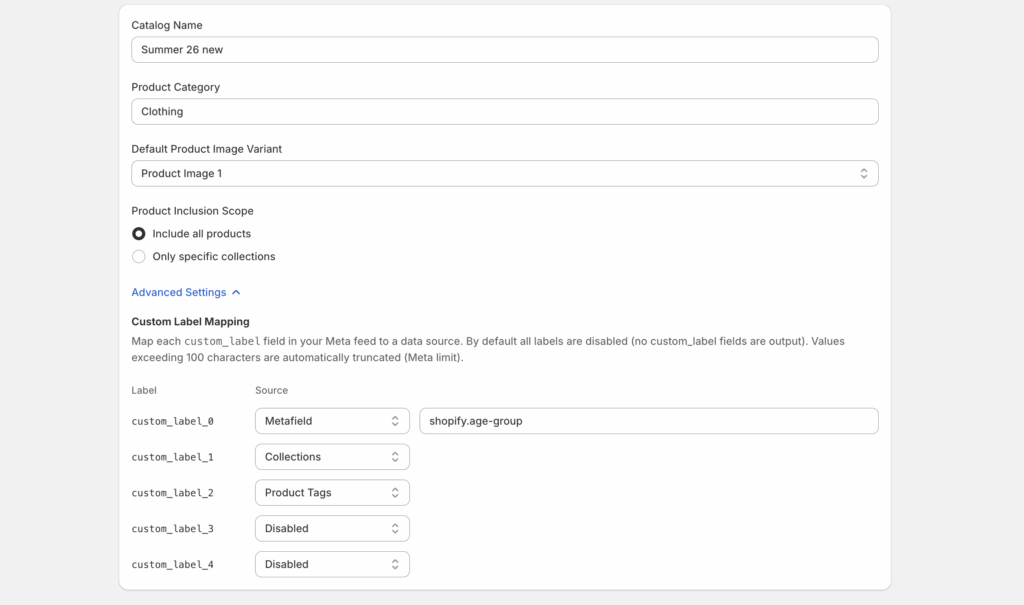
Meta’s catalog format supports five custom label fields (custom_label_0 through
custom_label_4), which advertisers use to filter and segment products inside Meta Ads
Manager and Commerce Manager. CustomPix lets you populate all five directly from your own Shopify
store data, including collections and metafields.
In practice, this means you can build custom labels around things like:
- Which collection a product belongs to
- Margin tier, season, or any custom metafield you already track
- Bestseller status, new arrivals, or clearance items
Once mapped, these labels flow into your feed automatically, giving you the same level of granular targeting and dynamic creative segmentation that’s usually reserved for larger, more expensive feed management platforms. Read the full custom labels guide for setup steps and segmentation ideas.
Feed Management & Meta Integration
CustomPix generates a feed from everything you’ve configured, images, templates, swatches, and labels, and connects it to Meta Commerce Manager via either a supplementary feed or a full feed.
- Daily auto-syncs keep pricing, discounts, and stock current
- Choose a supplementary feed to layer changes on top of your existing feed, or a full feed to replace it entirely
- Your Shopify storefront design is never affected by anything you configure in CustomPix
One Feed, Multiple Channels
The feed CustomPix generates isn’t locked to Meta. The same feed URL is also directly compatible with Reddit’s Dynamic Product Ads and Pinterest’s catalog setup, so the images, templates, and labels you configure once can power catalog ads across multiple platforms, without building or maintaining a separate feed for each. Need another channel? More are supported on request.
Wondering how CustomPix stacks up against other tools? See our comparisons: Confect.io alternatives, Cropink alternatives, Marpipe alternatives, and CustomPix vs Flexify.
Frequently Asked Questions
Can I choose a different image for every variant?
Yes. Images are selected per product and per variant, so a color variant can show its own photo in catalog ads even if your Shopify product uses a shared image set.
Can I use different templates for different products?
Yes. Templates can be assigned per collection, and you can override the template individually for single products or variants, so one design for your sale collection, another for new arrivals, and exceptions wherever you need them.
Does background removal happen automatically?
Yes. When a template uses background removal, it’s applied automatically across your catalog, with a manual override available for individual images that need it.
Do my templates update when prices change?
Yes. Prices, discounts, and other dynamic data are pulled from your live product data, and daily feed syncs keep your ads current, with no manual re-exporting.
Can I use the same feed for Meta, Reddit, and Pinterest?
Yes. The feed CustomPix generates is compatible with Meta Commerce Manager, Reddit Dynamic Product Ads, and Pinterest catalogs. Configure your images and templates once, and the same feed powers all three. More channels are available on request.
What are custom labels used for?
Meta’s five custom label fields let you filter and segment products inside Ads Manager, for example into bestsellers, sale items, or margin tiers. CustomPix can optionally fill them from your Shopify collections, tags, and metafields.